Project Overview
Project: UX Case Study
Context: Real project, anonymized (NovaFlow is a fictional name standing in for the actual company)
Role: Senior UX Designer
Duration: Discovery phase
Status: Real work, sensitive and identifying details removed
Context
NovaFlow is a fictional platform used to track demand across recurring production cycles, matching what’s needed against what’s actually available. Every item has to be ready before the production cycle that needs it starts. Like most platforms that have been around a while, its knowledge lived all over the place: old system docs, business rules nobody had written down, research buried in someone’s notes, meeting takeaways that never made it anywhere durable. Every time a new feature came up, discovery started from scratch, with people re-asking questions that had already been answered and re-digging for context that already existed somewhere.
The need became clear with a new ask that came in for a potentially big feature, one that would need real attention and couldn’t afford to start from a blank page. I used that ask as the reason to define how a knowledge base should be organized and how a discovery doc should be structured, then tested that structure against the same ask by having it consult all the current documentation plus the newly organized knowledge base. I led this effort, and the wider project team, Devs, QAs, and UXs, reviewed the work along the way, so the result reflected how the whole team actually worked, not just my own view of it.
I wanted to fix that by making discovery faster, so people wouldn’t have to rebuild context that already existed.
The approach was simple: put everything in one Git repo, so the knowledge base and every discovery doc lived together, versioned and easy to track over time.
Defining the Knowledge Base
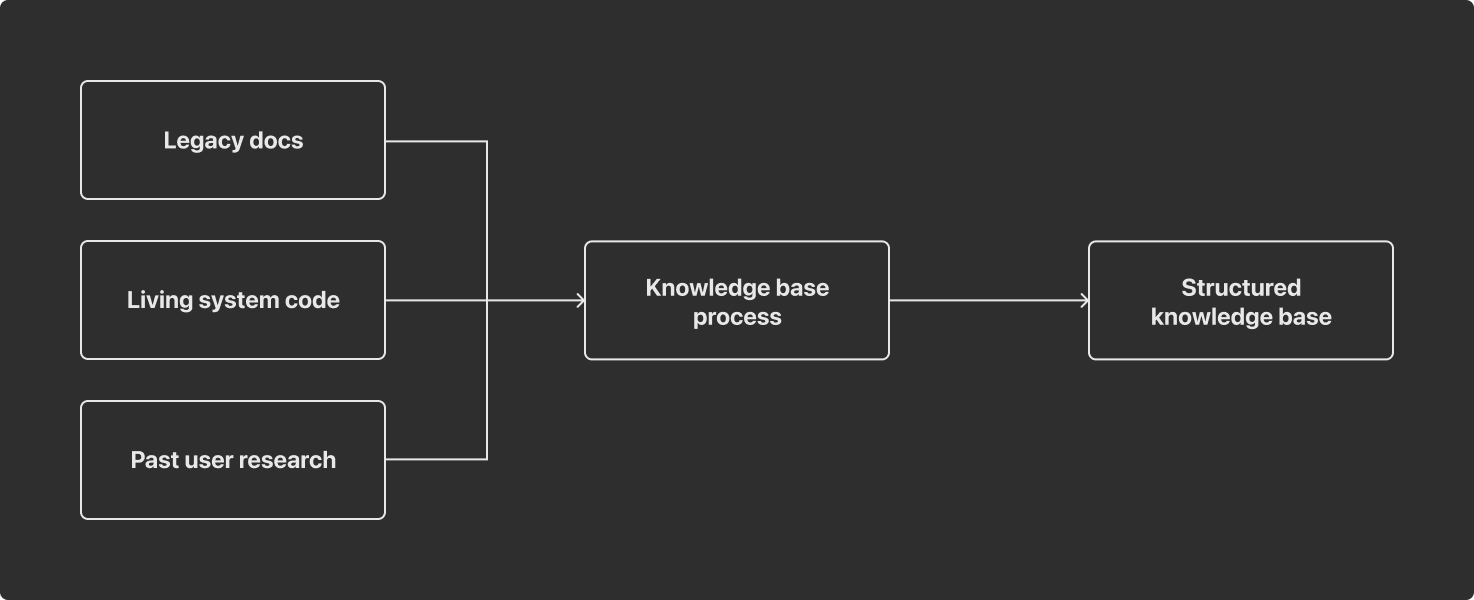
The first step was figuring out how to take all that spread out documentation, plus the living system code itself, and turn it into one organized, structured knowledge base. Rather than relying only on docs that could be outdated, the process pulled from the actual codebase to confirm how things really worked today.
Working through it module by module, it was mapped what documentation already existed, checked against what the code actually did, and the knowledge base was versioned so it could be updated as things changed rather than written once and left stale. Everything was structured consistently so it could be reliably reused later. An AI tool handled the ingestion, but the real work was defining what “organized” meant: what to capture, how to structure it, and how to keep it current. I led this definition, and the team reviewed it as it came together.
The result is a knowledge base that stays alive, something you can refresh as systems and research evolve, rather than a wiki page nobody touches again.
Defining the Discovery Template
With the knowledge base in place, the next step was defining what a discovery doc should actually look like: what questions it needs to answer, in what order, and with what evidence. That template is the real deliverable here, since it’s what turns spread out context into something usable.
Once the template existed, an AI tool could pull from the knowledge base and draft a first pass automatically for a new feature ask. Instead of starting from a blank page and manually chasing down current-state info, stakeholders, and constraints, the draft came in already grounded in real, already sourced context. That freed up time to actually validate with the team and close gaps, rather than repeating the same research over and over. I led the template design, and the team reviewed each draft it produced.

Discovery Document Structure
Every doc follows the same structure, built to read as one story from why to what’s next.
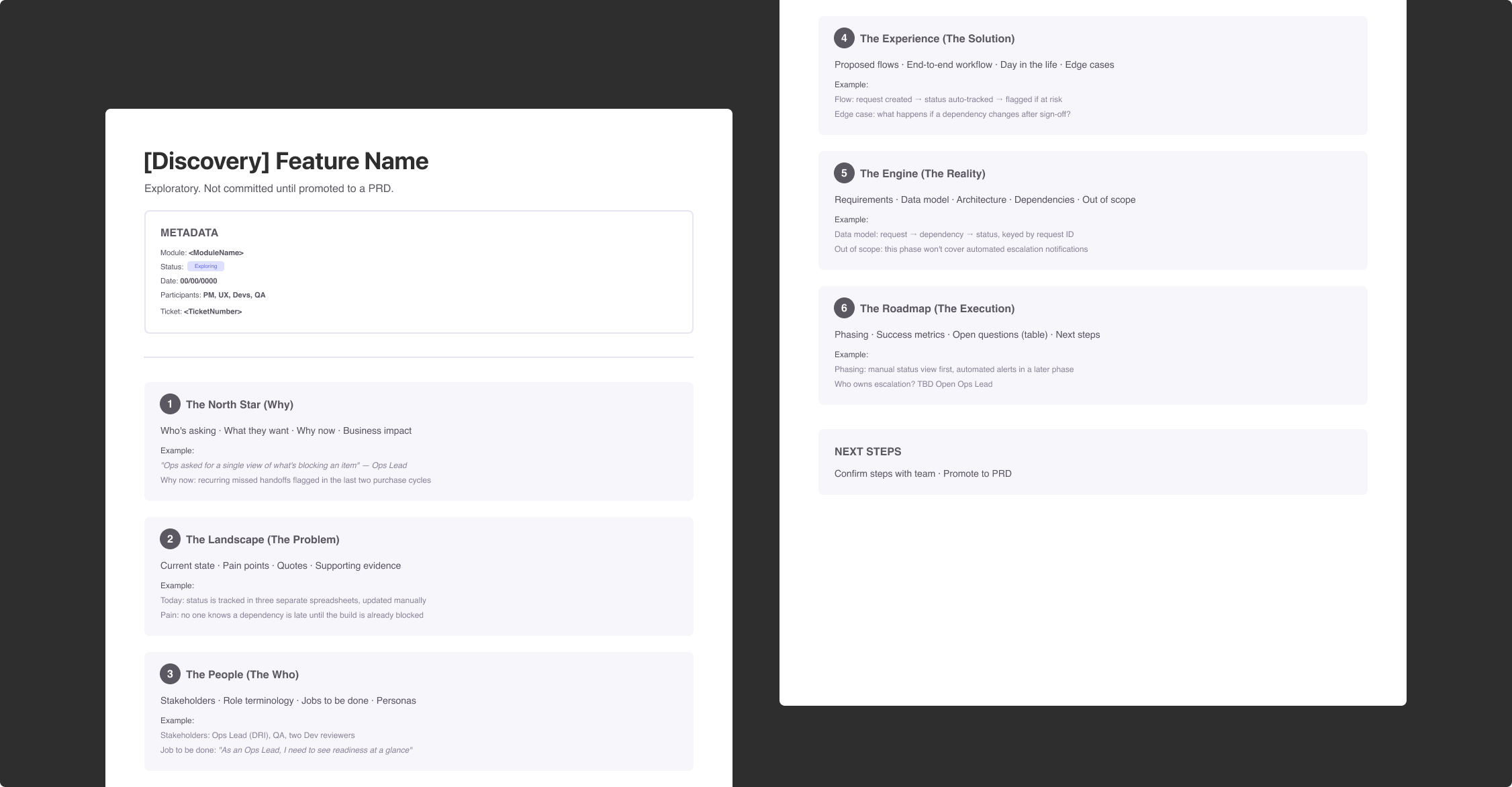
- Metadata covers module, status, participants, and date.
- The North Star (Why) lays out who’s asking, what they want, why now, and the business impact.
- The Landscape (The Problem) covers how it works today, the pain points, and evidence pulled from the knowledge base.
- The People (The Who) covers stakeholders, roles, and what each user is actually trying to get done.
- The Experience (The Solution) covers proposed flows, the end-to-end workflow, and edge cases.
- The Engine (The Reality) covers requirements, data model, architecture, dependencies, and what’s out of scope.
- The Roadmap (The Execution) covers phasing, success metrics, open questions with owners, and next steps.
Because it’s built off a versioned knowledge base and lives in the same repo as everything else, this turned discovery from weeks of research into a solid first draft in a fraction of the time, leaving more room for the parts that actually need human judgment.
Testing It on a Real Feature
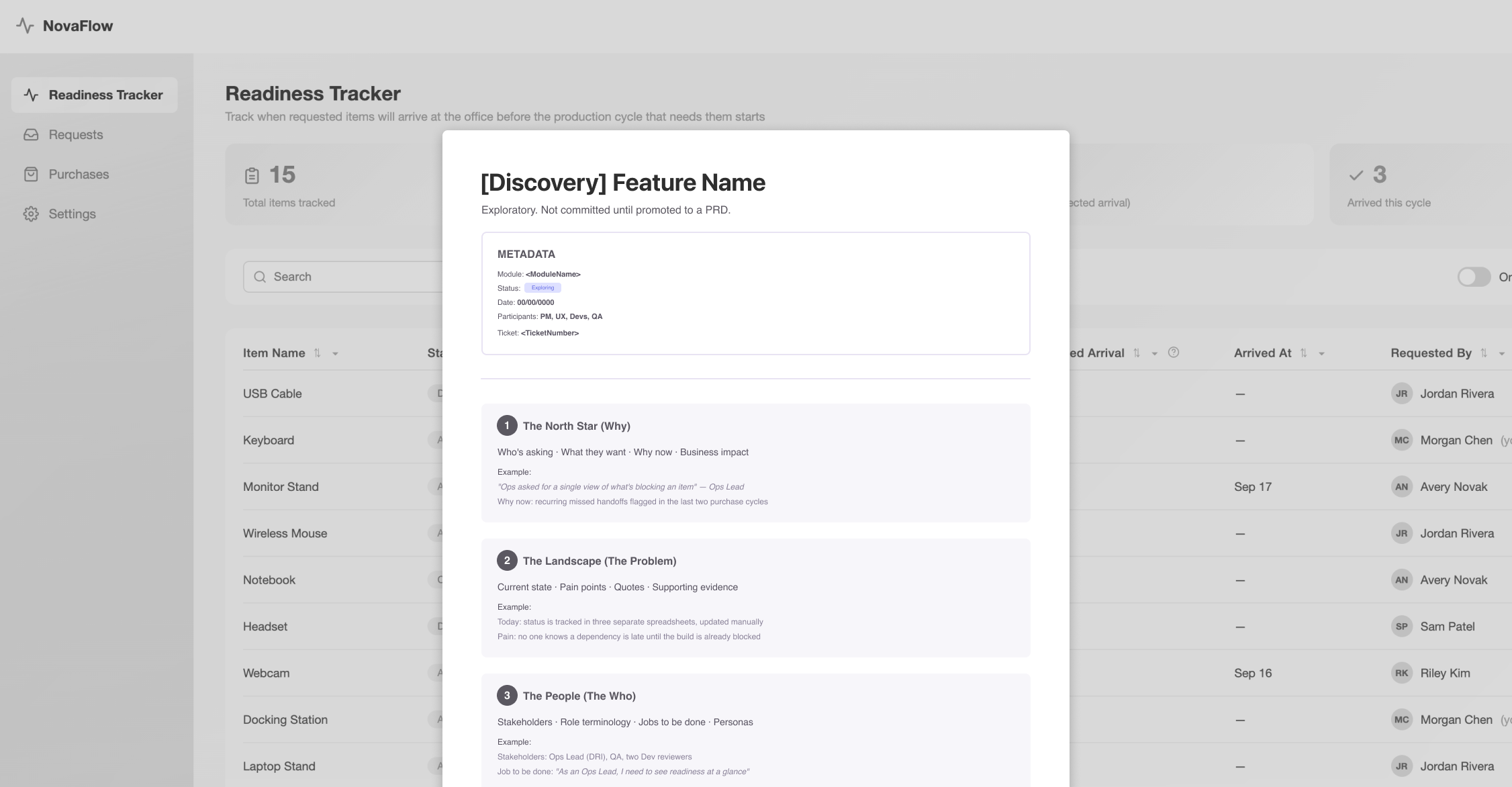
I ran this against a real, active discovery for a feature about tracking whether items requested by teams actually arrive at the office before the production cycle that needs them starts. NovaFlow already tracks that demand, so the ask was to track item readiness inside NovaFlow too. It touched multiple modules of the NovaFlow system, which made it a good stress test for whether the template and the generated draft actually held up in front of real stakeholders. I led the discovery, and the wider project team reviewed what the process generated, checking it against their own knowledge of the ask before we trusted it as a starting point.
As the UX lead on that discovery, I treated the doc as something alive rather than a one-and-done deliverable. After every meeting or new alignment, I went back in and updated it directly: closing open questions, adjusting scope, capturing decisions as they happened. That kept the doc as the actual source of truth for the team, instead of leaving decisions spread across people’s memory and meeting notes.
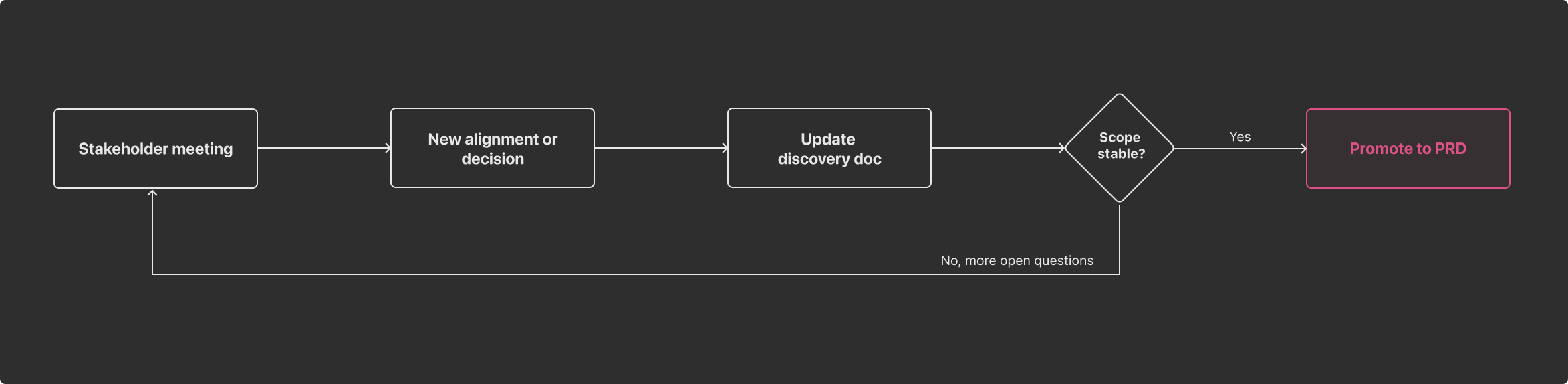
Once the discovery doc is complete and promoted to a PRD (Product Requirements Document), it should give UX, QA, and Dev a shared, validated starting point to actually build the feature from, instead of each team piecing together its own understanding of what’s needed.
Visualizing the Solution
The discovery stayed focused on questions, context, and evidence, not a finished design. Once the doc for the Readiness Tracker was in place, it gave me a clear enough picture to sketch a prototype, like the one below.